

little robot. BIG MOTION.
Hi.
I’m Archie.
Your guide to a connected business—
powered by Archon Link.
Select Meet Archie to say hello.
Then ask me a question by text or voice.
I am an AI guide. I answer questions about Archon.tools plans, tools, integrations and setup guides, for example “Which plan fits a salon?” I cannot see or change your account, and voice starts only when you choose it.
Explore the world behind ArchieARCHIE IN MOTION
A little more Archie.
The latest published reels from Archie’s world. Watch the full clips on our channels.
- Watch on Instagram
 Watch on Instagram
Hit the road, dude
Archie’s infrastructure room
One workspace.
Seven connected categories.
I’m Archie. Think of this as your business’s control room. Choose a category below and I’ll show you how its tools can fit into the rest of your operation.

Archie / 01 of 07
Give your business a front door.
I’d start with a page and form that explain your offer. With your form routing configured, inquiries can feed your customer records and the follow-up you choose.
Open the website & forms setup guideHow the parts can connect
Website & formsCustomer hub & inbox + Follow-up & campaigns
An inquiry form feeds a customer record, ready for your configured follow-up.
- You configure
- Your offer, pages, forms and publishing settings.
Archie / 02 of 07
Bring the customer context together.
I’ll show you where customer records, conversations and pipeline activity belong. That shared context can support the appointments, campaigns and reporting you configure.
Open the customer hub & inbox setup guideHow the parts can connect
Customer hub & inboxBooking & calendars + Reporting
Keep an inquiry, its messages and its booking activity around the same customer record.
- You configure
- Contact fields, pipeline stages, connected inboxes and assignments.
Archie / 03 of 07
Make room for the next appointment.
I’ll walk you through availability and appointment types. Authorize a supported calendar, then configure confirmations and reminders around the customer record.
Open the booking & calendars setup guideHow the parts can connect
Booking & calendarsWebsite & forms + Customer hub & inbox
A customer books from your page and receives the confirmations you’ve configured.
- You configure
- Availability, appointment types, calendar permissions and reminders.
Archie / 04 of 07
Connect the work between conversations.
I’ll help you map the triggers, audience and messages. You choose and authorize the channels, review the workflow and test it before enabling follow-up.
Open the follow-up & campaigns setup guideHow the parts can connect
Follow-up & campaignsCustomer hub & inbox + Booking & calendars
An opted-in inquiry receives your approved information and an invitation to book.
- You configure
- Consented audiences, message content, workflow triggers and schedules.
Archie / 05 of 07
Keep learning after the sale.
I’ll help you connect a completed sale or service to an approved feedback request. You control recipient criteria, timing and review destinations.
Open the reviews & retention setup guideHow the parts can connect
Reviews & retentionCustomer hub & inbox + Follow-up & campaigns
A completed service can trigger the feedback request you’ve configured and tested.
- You configure
- Review destinations, fair recipient criteria, timing and response workflows.
Archie / 06 of 07
Give your knowledge a place to live.
I’ll help you organize courses, resources and member access. Connect enrollment to the right customer records and agreed follow-up, with your content and access rules.
Open the courses & communities setup guideHow the parts can connect
Courses & communitiesCustomer hub & inbox + Follow-up & campaigns
A new member gets access to your getting-started lessons and the follow-up you’ve set up.
- You configure
- Lessons, resources, member eligibility, access and moderation.
Archie / 07 of 07
See how the connected parts are doing.
I’ll point you toward the measures that matter: inquiries, bookings and campaign activity. Your dashboards reflect the supported sources you’ve connected and configured.
Open the reporting setup guideHow the parts can connect
ReportingBooking & calendars + Follow-up & campaigns
Compare inquiries, bookings and follow-up activity over the same period.
- You configure
- Measures, supported data sources, date ranges and report access.
Tool availability depends on your selected plan. You authorize accounts, provide content and control settings, permissions and workflow activation. Configure and test each connection before using it. I’m here to guide you through it.

ARCHON LINK // THE CONNECTIONS ROOM
Put your tools
to work together.
Connect the specialist apps you already rely on, automate the handoffs between them, and run your operation from one connected Archon.tools workspace—with Archie and Archon Link to guide the way.
ARCHON LINK / COMMUNICATIONS
Your business, in conversation.

Archie · Your guide to a connected businessPowered by Archon Link — Native sync, App Marketplace & AI connections
ARCHON LINKApp Marketplace ↗
- 01 / Native connectionsGoogle Workspace & Core Sync




Your everyday tools, connected.
Bring customer records, conversations, websites, calendars, payments and campaigns together in your workspace. Connect supported Google email, calendars, stores and checkout tools to keep your operation in sync.
Explore workspace connections - 02 / Archon Link Marketplace
Specialist tools.
A bigger ecosystem.Keep what works. Add what’s missing.
Explore marketplace apps and workflow integrations through Archon Link—from QuickBooks, Slack and Zoom to Calendly and Zapier. Review each app’s scope, permissions and pricing, then configure the connection you need.
- 03 / Model choice
 OpenAI
 Claude
 Gemini
 Mistral AI
 DeepSeek
 Meta · Llama
 Qwen
- xAI · Grok
Examples across model providers and families
Your AI. Your choice.
Bring the model you prefer through a compatible assistant or your own integration. Connect with Archon’s API or MCP, then choose what your assistant can read.
Archon API + MCP / read-only betaExplore API & MCPRouting options in some clients: OpenRouter
 Ollama
The current read-only beta covers Workspace details, selected tools and setup guidance. Model availability, tool support and usage charges depend on your client and provider.
Archon Link // Live Connection Index
Explore 30 documented workspace connections.
Showing 30 of 30 documented connections
Select any connection to inspect scope & setupGmailSupported connection+
Keep supported customer email threads alongside contact records.
One-to-one email sync; bulk campaigns and unknown senders follow different rules.
Microsoft OutlookSupported connection+
Connect customer email and your team's calendar.
Email and calendar connections are set up separately; sync rules vary.
FacebookSupported connection+

Bring Page messages and lead-ad inquiries into your customer hub.
Page permissions required. Social publishing and reviews can also be configured.
InstagramSupported connection+

Follow up on supported business messages and social inquiries.
An eligible professional account and the required Meta permissions are needed.
WhatsAppPaid add-on+

Give customers another familiar way to reach your business.
Optional subscription and messaging usage; business verification and template rules apply.
Google CalendarSupported connection+
Sync appointments and check connected calendars for busy times.
Calendar permissions and linked/conflict-calendar settings must be confirmed.
Apple iCloudSupported connection+

Connect an existing iCloud calendar to your scheduling setup.
Apple account requirements and supported sync behavior are confirmed during setup.
CalendlySupported connection+

Import Calendly bookings and their guest details.
Calendar import is one-way; cancellations and reschedules need separate handling.
ZoomSupported connection+

Give customers an online meeting link with eligible bookings.
Connect each host's account; automatic links depend on calendar type.
Google MeetSupported connection+
Meet customers online through your Google scheduling setup.
Meeting links depend on the connected user and supported calendar type.
Microsoft TeamsSupported connection+

Create meeting links for eligible customer appointments.
Requires a work or school Teams account; connect separately from Outlook.
ShopifySupported connection+
Use supported store and order activity for customer follow-up.
Keep your existing store; you choose which records to import and which follow-up to turn on.
WooCommerceSupported connection+

Bring contacts, orders and transactions from your existing store.
A compatible store connection is required; building or migrating a store is separate.
StripeSeparate setup+
Offer payments through eligible forms, bookings or course experiences.
Checkout is separately configured and tested; processing fees and account eligibility apply.
PayPalSeparate setup+

Add a familiar payment option to supported checkout experiences.
Product-area and recurring-payment support vary; setup and processing costs are separate.
SquareSeparate setup+

Use Square for eligible online payment experiences.
Payment features vary by product; separate checkout setup and processing costs apply.
QuickBooksSupported connection+

Connect customer records and supported invoices or sales receipts.
Sync direction varies by record. Existing and newly created invoices behave differently.
Google Business ProfileSupported connection+

Bring Google reviews into your reputation workflow.
Requires the appropriate access to your business profile; supported publishing can also be configured.
Google AdsSupported connection+

Review connected advertising results alongside your business measures.
Ad-account access and correct tracking are required; ad spend and management are separate.
Google AnalyticsSupported connection+

See GA4 traffic and engagement in supported dashboards and reports.
Requires a connected GA4 property, data stream and reporting permissions.
LinkedInSupported connection+

Plan and schedule social posts.
Account and post-type requirements vary.
TikTokSupported connection+

Plan social content and connect supported lead ads.
Publishing and lead-ad connections have separate account requirements.
YouTubeSupported connection+

Plan and schedule video publishing.
Channel and supported video-format requirements apply.
PinterestSupported connection+

Plan and schedule Pins.
Account and post-type requirements vary.
ThreadsSupported connection+

Plan and schedule social posts.
Account and post-type requirements vary.
BlueskySupported connection+

Plan and schedule social posts.
Account and post-type requirements vary.
Google DriveSupported connection+

Access owned files in the media library for your content.
Shared files and shared-file shortcuts are not supported; ownership matters.
SlackUsage charges+

Send workflow notifications to the right team member or channel.
Premium workflow actions must be enabled; execution charges apply.
Google SheetsUsage charges+

Create, find and update spreadsheet rows from agreed workflows.
Premium workflow actions must be enabled; execution charges apply.
ZapierThird-party automation+

Connect additional apps through a separately designed automation.
Your Zapier plan and supported triggers/actions set the limits; you authorize and test the connection in your workspace.
One workspace.
A business in motion.
- Start.
Choose your workspace and the tools your business needs.
- Connect.
Authorize your accounts and configure the apps you use in Archon Link.
- Automate.
Set up workflow triggers, conditions and actions.
- Run.
Manage customer work and monitor the results together.
Archie helps you explore and understand your setup. Connections and automations need configuration and testing; availability and charges vary by app and plan. Product names and marks belong to their owners and do not imply endorsement.
Archie’s Evolution
One Archie.
Every world.
Follow Archie from his first 2D mark through early renders, the interactive model, and a lifelike study.
- 01 / First markOriginal 2D
- 02 / First depthOriginal 3D film
- 03 / RefinedEnhanced 3D
- 04 / InteractiveWebsite model
- 05 / LifelikeEmerald study
- 01 / ORIGINAL 2D64 × 64 · Original 2D vector

The first mark
A tiny emblem. Archie from the start.
This brass-and-ivory vector establishes Archie’s silhouette and face.
Original 2D identity
- 02 / ORIGINAL 3DPre-rig still · original film
Archie steps into depth
The first dimensional chapter.
An early brass-bodied Archie moves from still render into the existing hero film.
Original 3D still and film
- 03 / ENHANCED 3DEnhanced 3D · existing still

A richer render
The brasswork comes into focus.
Polished materials and more detail carry the familiar face into a refined 3D render.
Enhanced 3D render
- 04 / INTERACTIVE 3DLive model · hover, focus, or tap
The model you meet today
A model you can meet.
The live website rig turns the character into a touch-aware 3D companion.
Actual interactive website model
- 05 / LIFELIKELifelike · still character study

A lifelike study
The familiar face, in a new light.
Emerald materials and expressive eyes bring Archie into a warmer, cinematic world.
Lifelike emerald study
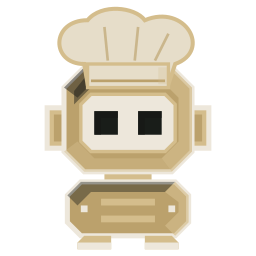
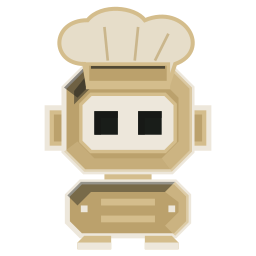
ORIGINAL 2D WARDROBE STUDIES
The same little face, ready for different roles.
Thirteen resting-pose vector studies rendered from Archie’s existing components. Accessories change; the face, geometry, and brass-and-ivory palette stay familiar.











EXPRESSION STUDIES
24 expressions. One unmistakable Archie.
Explore 24 lifelike expression studies, from quiet listening to playful side-eye. Each is a still reference for facial acting.

ADVANCED EXPRESSION STUDIES
More ways to bring Archie to life.
A second set of lifelike character studies, paired with performance directions. Each is a still; motion uses a separate real performance.

ALTERNATE CHARACTER STUDIES
Other ways to draw the same Archie.
Two alternate illustration styles explore Archie’s expression language.

Alternate character study · illustrated
Illustrated Archie
A brighter illustrated style explores Archie’s expression language.
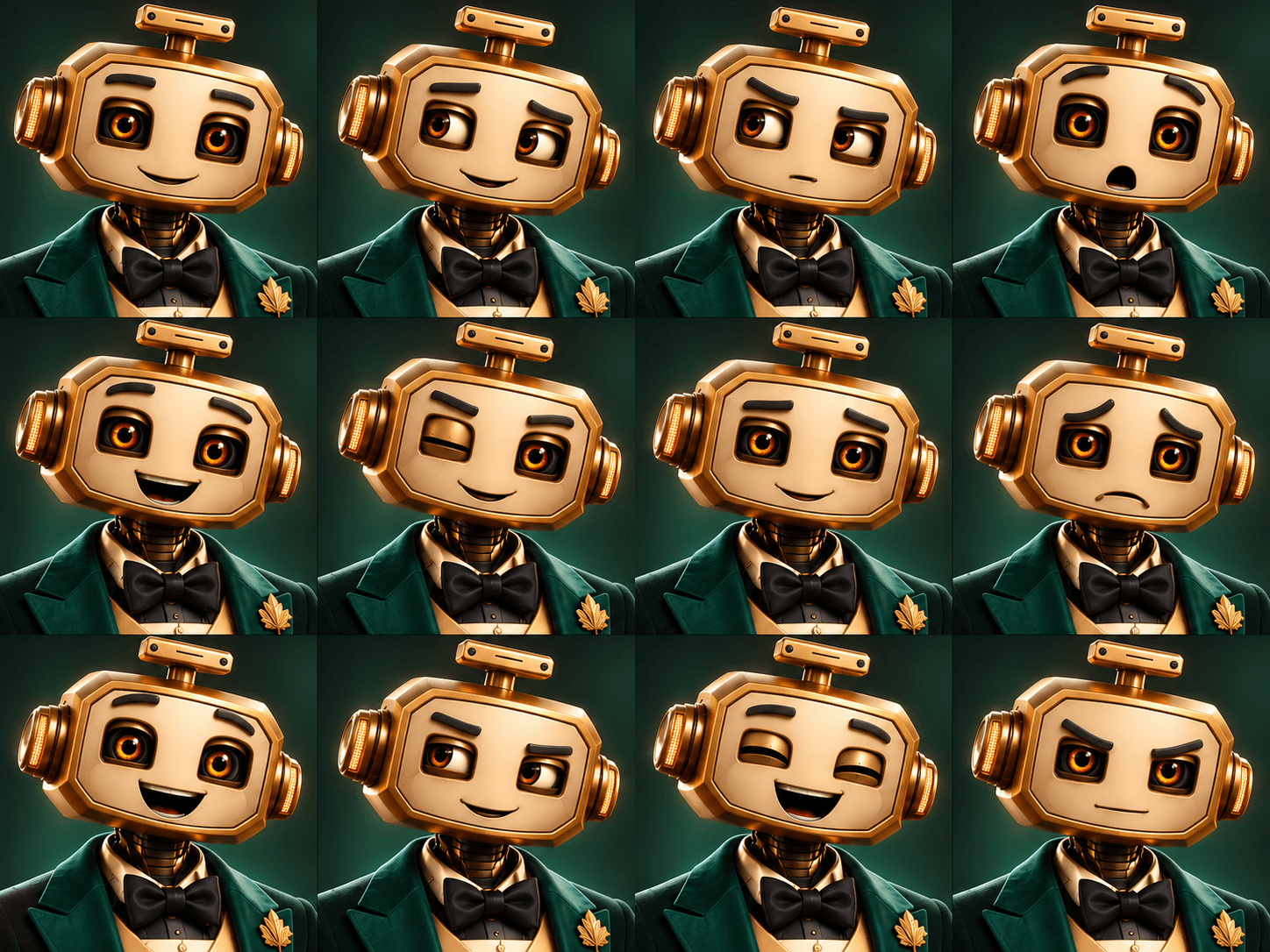
Alternate character study · cinematic 3D
Cinematic 3D Archie
A cinematic 3D look gives the familiar face another visual world.
Small robot. Connected world.
Less switching.
More possibilities.
Archie can help you explore a platform that brings your business together. Replace overlapping tools, connect supported specialist apps through Archon Link, and build what your business needs.
Meet the guide.
Try the workspace.
Start your 30-day free trial
Card required. Selected plan renews monthly unless cancelled.
Usage, optional AI packages and paid extras are separate.